
Best Gaming Mobile for PUBG – Top Phones for PUBG and COD Mobile in 2026
Searching for the best gaming mobile for PUBG and COD Mobile in 2026? Real-world tested picks, high FPS tips, and budget options that actually perform Finding the right gaming mobile for PUBG is something I wish someone had explained to me before I wasted two years on the wrong device.
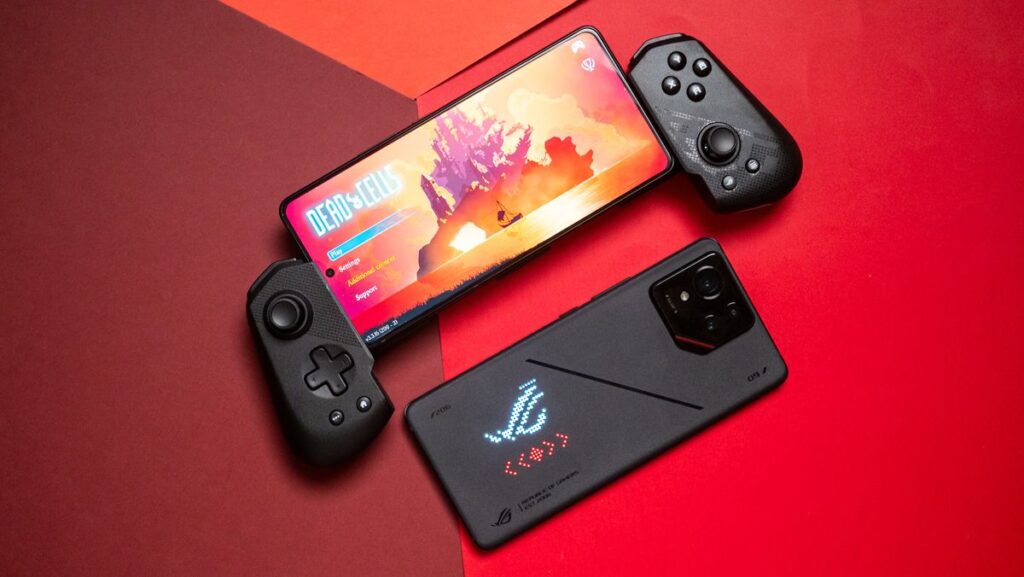
My first “gaming phone” was a lie I told myself. I had a mid-range Android I’d been using for two years decent enough for Instagram and YouTube and I convinced myself it could handle PUBG Mobile just fine. It could. Technically. Except it would thermal-throttle in the middle of a final zone fight, the frames would tank from 60 to somewhere around 20, and I’d die to someone I clearly out-positioned.
I blamed my aim. I blamed the internet connection. I blamed the matchmaking.
Then a friend showed me the same fight on his phone and the difference was genuinely embarrassing. Smooth, consistent, responsive. He wasn’t playing better his phone just wasn’t sabotaging him every time the action got intense.
That sent me down a rabbit hole I’ve never fully climbed out of. And if you’re reading this, you’re probably somewhere in the same hole searching for the best gaming mobile for PUBG that won’t let you down when it counts. So let me save you a few months of research and some expensive mistakes.
What Makes a Great Gaming Mobile for PUBG and COD Mobile Too
Before we talk specific phones, let’s get something straight: the things most people check when buying a phone camera megapixels, screen size, even price are almost completely irrelevant to gaming performance. The best gaming mobile for PUBG needs a completely different set of priorities.
The chipset is everything. Not just which one, but how it handles sustained load. A phone can have a great processor on paper but still throttle badly when it gets hot and it will get hot during a 30-minute PUBG match. You want a processor that holds its performance from minute one to minute forty.
Display refresh rate changes how the game feels. At 60Hz, enemy movement looks slightly choppy and your thumb swipes feel slightly delayed. At 120Hz, everything is noticeably smoother. At 144Hz or 165Hz, it starts feeling almost unreasonably fluid. If you’ve never gamed on a high refresh rate display, the upgrade will feel like you’ve been playing with a disadvantage you didn’t know about.
Cooling isn’t a marketing gimmick. On budget and mid-range phones, it kind of is. But on proper gaming phones, active cooling systems fans, liquid cooling, vapor chambers make a measurable difference in whether your frame rate stays consistent after 20 minutes or starts dropping.
RAM matters for stability, not speed. You’re not going to run PUBG faster with 16GB vs 12GB, but you’re less likely to get memory-related stutters and background app kills mid-match.
Now, with that framing in mind, here are the phones I’d actually recommend in 2026.
Best Overall: ASUS ROG Phone 9 Pro
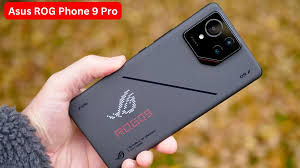
If money is not the deciding factor, the ROG Phone 9 Pro is still the most complete gaming phone you can buy right now. It’s not cheap but for PUBG Mobile and COD Mobile specifically, it delivers an experience that’s hard to match.
The display is where it starts. A 185Hz AMOLED panel is the fastest refresh rate on any Android phone available right now. In practice, this means enemy movements look crisper, your aiming is more precise, and the whole experience just feels more responsive. When you’re in a close-range fight in Pochinki or pushing a building in COD Mobile’s Highrise map, every fraction of a second counts and the display genuinely gives you a small but real edge.
The Snapdragon 8 Elite chipset handles any graphics setting PUBG throws at it without breaking a sweat. You can run Ultra HD graphics with Ultra frame rate and the phone barely gets warm. That’s a credit to the cooling system, which ASUS calls AeroActive Cooling it’s one of the best thermal setups in any phone, period.
The Air Triggers are something you either love immediately or take a few days to adapt to. They’re shoulder buttons built into the sides of the phone that you can map to any in-game action fire, ADS, crouch, scope. Once you’ve gotten used to three or four-finger claw-plus-triggers, going back to two thumbs feels limiting.
The one complaint: ASUS confirmed they won’t be releasing a new phone in 2026, so the ROG Phone 9 Pro is aging into its sunset. It’s still excellent, but the newer Snapdragon chipset in competing phones means its raw performance lead is shrinking. Buy it while it’s still king, or wait to see what dethrones it.
Best Value for FPS Gaming: RedMagic 11 Pro
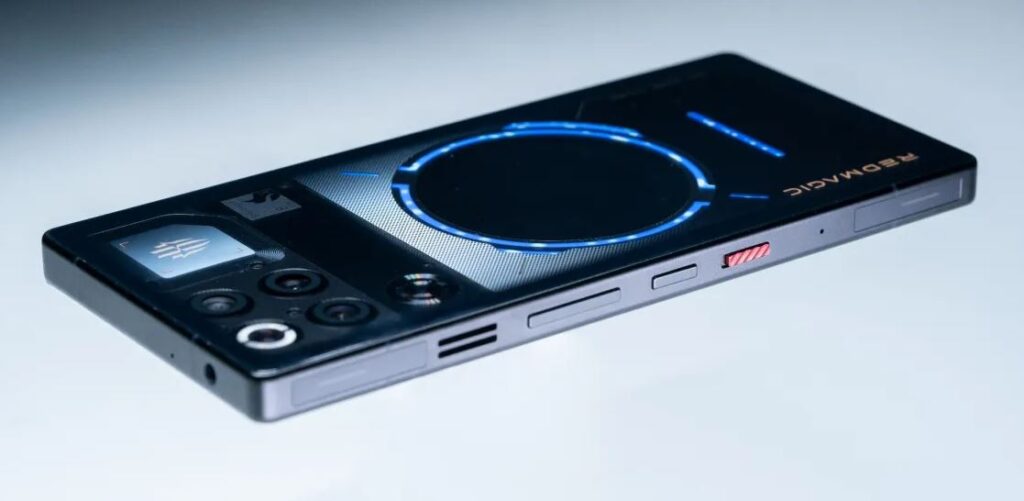
Here’s the phone I’d actually buy today if I were spending my own money.
The RedMagic 11 Pro is cheaper than the ROG Phone 9 Pro and actually has a newer, more powerful chipset: the Snapdragon 8 Elite Gen 5. In raw benchmark scores, it outperforms the ROG. For COD Mobile specifically, it’s been tested as the best-performing Android device for frame rate stability.
The display is a 6.85-inch AMOLED running at 144Hz not quite the 185Hz of the ROG, but practically identical in feel for most people. The difference between 144Hz and 185Hz is real but subtle; the difference between 60Hz and 120Hz is dramatic. You’re already in the zone where diminishing returns set in.
What makes the RedMagic 11 Pro genuinely special is two things: the battery and the cooling. That 7,500mAh cell is enormous. During extended ranked sessions three, four hours of continuous play you’re not going to be hunting for a charger mid-session. Combine that with RedMagic’s AquaCore liquid cooling system (marketed as the first active liquid cooling on a mass-production phone), and you get a device that simply doesn’t throttle the way most phones do.
The shoulder triggers on the RedMagic are also excellent responsive, customizable, and they make a big difference once you’ve spent a week using them.
The trade-offs are real but manageable. The camera is mediocre compared to the ROG. The software RedMagic OS 11 on Android 16 is capable but less polished than ASUS’s interface. And it’s a big, somewhat aggressive-looking phone that screams “I take gaming seriously,” which is either a selling point or not depending on who you are.
For the best phone for COD Mobile on a budget that isn’t really a budget, this is it.
The Mainstream Flagship Option: Samsung Galaxy S26 Ultra
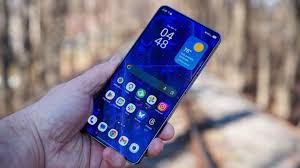
Not everyone wants a phone that looks like it belongs in an esports arena. Some people want something they can take to a meeting and also drop into an intense PUBG session at 11pm.
The Galaxy S26 Ultra is that phone. And in one specific category thermal management it actually beats dedicated gaming phones.
Real-world testing across both COD Mobile and PUBG Mobile showed the S26 Ultra recording the lowest temperature rise of any flagship during extended gaming sessions. When performance is as close as it is at this tier, heat management becomes the deciding factor for long sessions. The S26 Ultra wins that convincingly.
You’re not getting Air Triggers or a 185Hz display. You’re getting a beautiful 120Hz panel, the Snapdragon 8 Elite, and a phone that handles every other area of your life equally well. For people who don’t want a separate gaming device, this is the sensible pick that doesn’t compromise on actual game performance.
Best Budget Gaming Phone for PUBG: Poco F7 Pro
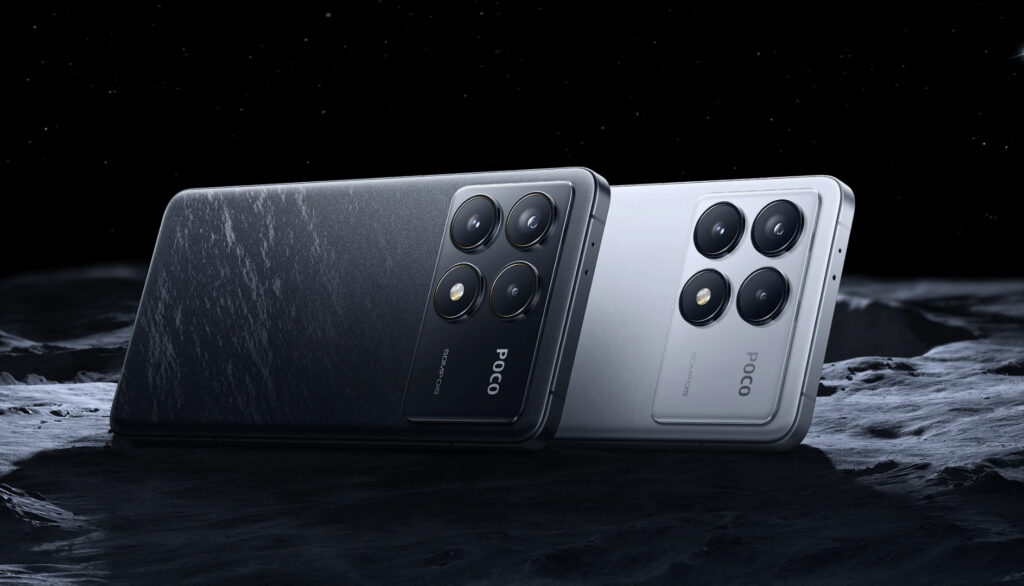
If you’re not dropping flagship money but still want a phone that can genuinely handle PUBG Mobile at decent settings, the Poco F7 Pro deserves serious attention.
It won’t hit the ultra-high frame rates of the phones above. The cooling system is basic by comparison. But it packs a solid processor, an impressive display, and good battery life at a price point that’s genuinely accessible. For players who aren’t in the top competitive brackets and just want a smooth, enjoyable experience without overheating every match, it gets the job done.
The mistake people make with budget gaming phones is expecting them to run max settings. Don’t. Drop to HD graphics, set frame rate to Ultra, and turn off shadows. You’ll get a cleaner, faster experience than someone with the same phone trying to run everything maxed out.
Read More : That Vogue AI Ad? It Wasn’t About Jeans. It Was About Us Getting Erased
PUBG Mobile Graphics Settings: How to Actually Optimize Your Phone
Even the best gaming smartphone underperforms if your settings are wrong. Here’s a starting point that works across most high-end devices:
Graphics Quality: HDR or Ultra HD if your phone can handle it without thermal issues. Otherwise HD is fine PUBG plays better smooth than it does beautiful.
Frame Rate: Always set to Ultra (90fps) or Extreme (120fps) if your phone supports it. This is the single biggest setting for feel.
Shadows: Turn these off. They look nice and drain performance. No one in a competitive match is stopping to admire the shadow detail.
Anti-aliasing: On flagships, leave it on. On mid-range phones, turn it off.
Style: Realistic looks great on YouTube thumbnails. Classic is what serious players actually use it reduces visual noise.
On the RedMagic and ROG phones, also enable the built-in game booster (Game Space on RedMagic, Armoury Crate on ASUS). These lock CPU/GPU performance during matches, block notifications, and can enable additional frame rate modes that aren’t accessible through PUBG’s settings alone.
Read More : Infinix’s Next Power Play: Is Its New Gaming Phone Copying Nothing’s LED Magic?
Common Mistakes People Make When Buying a Gaming Phone
Buying based on camera specs. Unless you’re going to Instagram your gaming setup, camera quality is irrelevant to your PUBG experience.
Ignoring thermal testing. A phone can benchmark well in a 5-minute test and throttle badly in a 30-minute match. Look for real-world sustained performance data, not just AnTuTu scores.
Getting a 120Hz phone and leaving PUBG on 60fps mode. The phone can’t fix settings you haven’t changed. Always check in-game frame rate settings after upgrading.
Buying last year’s gaming phone at a discount when a better value option exists at the same price. The phone market moves fast. Check what’s current before assuming a “gaming phone” label from two years ago is still competitive.
So Which Gaming Mobile for PUBG Should You Actually Get?
Here’s the short version:
You want the absolute best PUBG and COD Mobile experience, budget is secondary: ASUS ROG Phone 9 Pro. Best display, best ecosystem, Air Triggers that will change how you play FPS games.
You want the best performance and battery for the money: RedMagic 11 Pro. More powerful chip than the ROG, massive battery, excellent cooling, significantly cheaper.
You want one phone for everything work, camera, gaming:Samsung Galaxy S26 Ultra. The best thermal management of any flagship, plays both titles beautifully, doesn’t look like a prop from a gaming energy drink commercial.
You’re on a tight budget: Poco F7 Pro. Optimize your settings and you’ll have a genuinely enjoyable experience without spending flagship money.
The honest truth is that any of these phones will make your PUBG and COD Mobile experience better than a standard mid-range device. The gap between “any of these” and “the absolute best” is smaller than the gap between any of these and a thermal-throttling mid-ranger you’ve been suffering through.
Pick based on your actual budget and needs. Then optimize your settings. Then practice.
The phone helps. But the practice helps more.
About The Author


